Dynamic booking forms
Configure the information you collect and show relevant booking steps for the services your clients select.
Go beyond the booking page. Discover the scheduling, website, client, and business tools that help your day flow.
Guide clients through the choices that matter for their booking, from finding a service to providing details and choosing how to pay.
Configure the information you collect and show relevant booking steps for the services your clients select.
Group your services into categories so clients can explore a focused selection instead of one long catalog.
Bundle your services into packages and offer optional extras during the booking flow.
Let clients choose templates and backdrops for services that need them.
Offer relevant upgrades at the payment step, with accepted upgrades recorded to the booking.
Customize booking-page colors and connect a custom domain alongside your included hosted address.
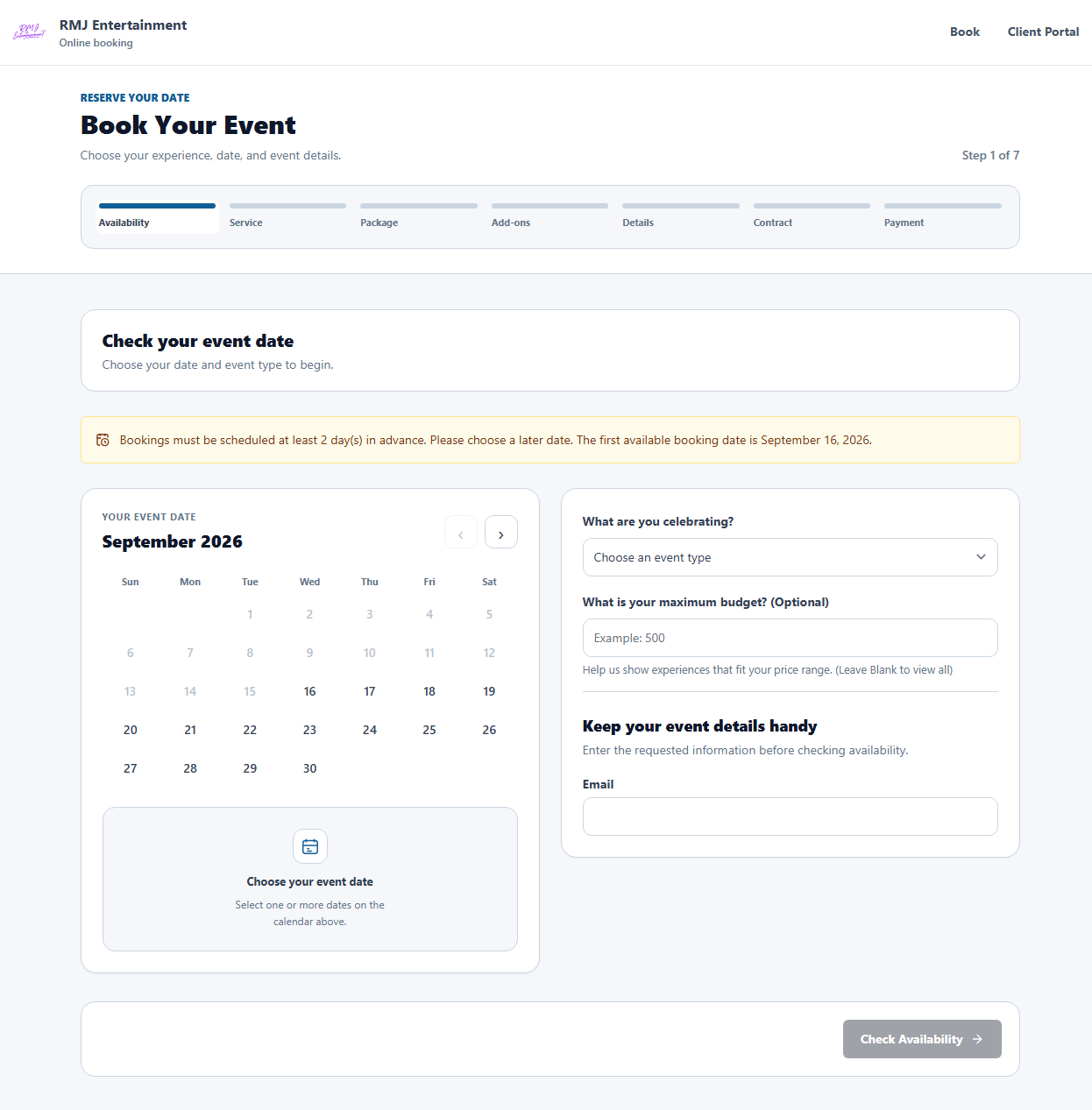
Set availability around the services you deliver. Offer a clear choice of available times and manage the exceptions from your dashboard.
Configure appointment duration, intervals, and available times for the services you offer.
Set scheduling capacity and working hours to control which times clients can choose.
Block unavailable dates or times and edit those periods when plans change.
Create date-based pricing rules for seasonal rates and other pricing adjustments.
Keep bookings that span multiple dates connected in one booking record.
Connect supported calendar tools and review scheduling information alongside your bookings.
Share your hosted booking page or place focused widgets where clients already find your business. Each widget has a specific job in the customer journey.
Bring the booking experience into your website so customers can start from a page they already know.
Let visitors check a date and start an inquiry from your website.
Collect inquiries and bring them into your lead-management workflow.
Show your available template and overlay designs in a gallery widget.
Display backdrop choices so clients can browse your available collection.
Use your included booking address even when you do not have a separate website.
Keep the information behind a client relationship together, with tools for leads, estimates, agreements, and follow-up.
Track inquiry status, follow-up dates, assigned staff, and internal notes.
Prepare branded proposals with services and pricing, then convert accepted proposals into bookings.
Keep service agreements and signatures connected to the booking they belong to.
Give clients a place to review details, access documents, make payments, and manage available selections.
Keep billing documents and payment references available with the customer record.
Review contact details and past bookings without piecing them together from separate tools.
Choose the payment setup that fits your business and keep deposits, outstanding balances, and provider references with the booking.
Use one online processor per business. Connect Square or Stripe, or configure PayPal credentials.
Offer the enabled deposit, partial-payment, or full-payment choices and track the remaining balance.
Offer configured manual methods or on-site payment. Record receipt once you verify funds arrived.
Configure travel-fee calculations for services delivered at a customer venue.
Manage promotional discounts and optional upgrades as part of your pricing.
See the payment amount, provider, transaction reference, and recorded status for each booking.
Payment-provider eligibility, setup requirements, and processing fees apply. Available wallets depend on the provider, account, browser, and device.
Bring your team, communications, and business records into the same working day.
Manage team access, staff availability, and booking assignments.
Configure supported messages and reminders for your business. Connected services may require setup and separate fees.
Review business activity and export records for your own reporting.
Use business backup tools and arrange an assisted move from the Event Flow Pro WordPress plugin.
Manage up to three separate businesses with the Pro Multi-Business plan.
Keep branding, services, bookings, customers, and staff separate for each business.
Expand a category for a quick overview.
No credit card required. One business to get started.